Some jobs require specific qualifications like the ability to lift 50 pounds or a class C driver’s license.
JobScore now supports knockout questions, a new type of automation that auto-declines candidates based on how they answer questions when they apply for a job. Here’s how to set them up:
- Edit the job, scroll to the new automations card and click the add automation link.
- Set the automation’s trigger to applied to job.
- Add an automation condition that the candidate answers one or more questions and provides specific answer(s) that will knock the candidate out.
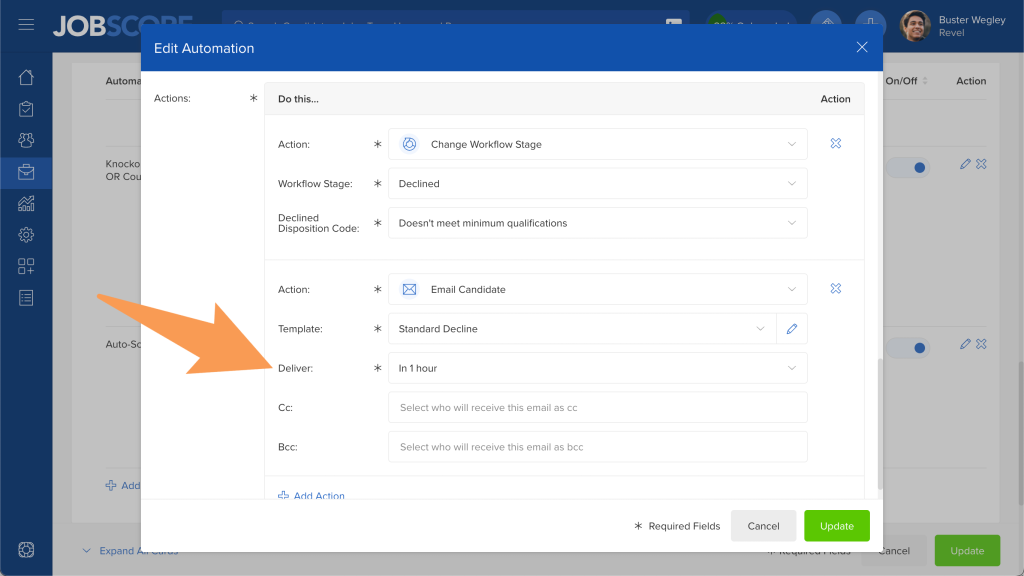
- Set the automation’s actions to:
- Update the candidate’s workflow stage to declined. You can also add a disposition code like “Doesn’t meet minimum qualifications.”
- Send a thanks-but-no-thanks email message by selecting a declined email template.
When candidates are knocked out they are immediately moved to the declined workflow stage. That means JobScore won’t send your team candidate alerts, and these candidates won’t be included in daily digest emails… so they completely skip your inbox. While no one is prompted to review these candidates, they are stored in your account for reporting and compliance purposes.
To provide a better candidate experience, we recommend using the “Deliver:” field in your decline email template. This delays sending your “thanks, but no thanks” email to the candidate so they don’t receive a rejection email a few seconds after they apply. When you create an automation you can use the default value from the email template or override it for each specific automation:
To further refine the candidate experience, you can customize the text of your decline email templates for each knockout question. We recommend informing the candidate that they didn’t meet the minimum qualifications for the job (so they don’t think it’s something else) – and, if appropriate, pointing them towards resources where they can acquire the skills and certifications they need to perform the job. (e.g. where to learn to drive large vehicles, or where to get Series 7 certified)
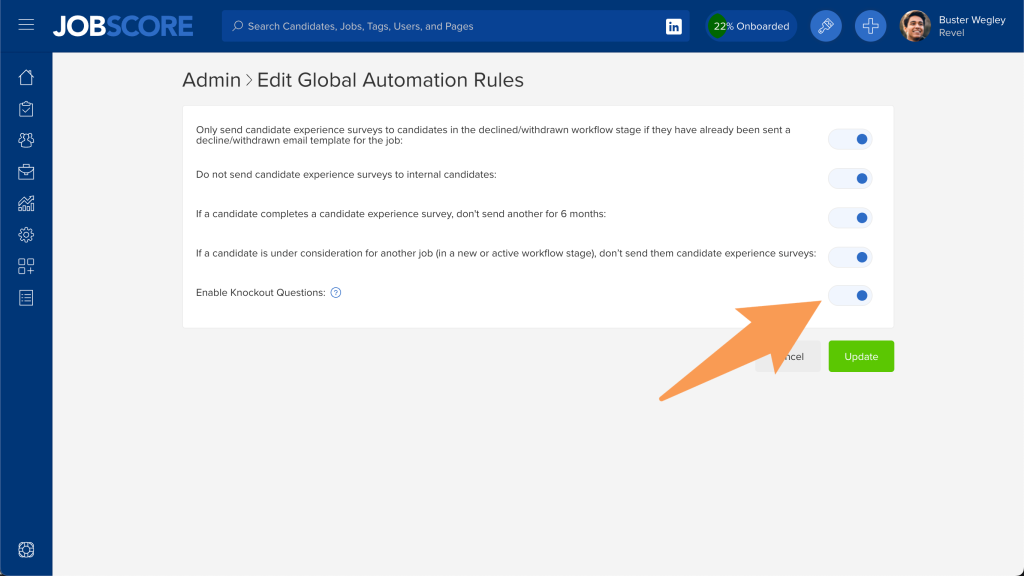
While auto-disqualifying candidates is useful for many jobs, it’s a feature that can be abused by asking unfair and discriminatory questions to auto-disqualify candidates. For this reason, we’ve added a control for users with the owner access levels to disable knockout questions in your account.
If some answers are strongly preferred instead of being absolute knockout criteria, you can add questions and answers as scoring criteria instead.
Knockout questions are the second powerful automation we added to JobScore after candidate experience surveys. The next few features on the automation roadmap include:
- Supporting “knock-in” questions so when candidates provide specific answers on job application forms you can automatically ask for more information in a secondary application form, or ask them to self-schedule an interview.
- Supporting knock-out and knock-in questions on candidate forms.
If you dream up other automations that could make your life easier, please share them in our ideas forum.
If you’d like a hand setting up your first knock-out question automation, please email support@jobscore.com