People hate to wait. To provide a great candidate experience, employers need to respond to candidates quickly. In our experience, the more transparency and shared accountability you add to your process, the faster you can make quality decisions about candidates.
That means everyone needs to know who is responsible for candidates at each stage of the recruiting process, and how long it’s supposed to take to complete each workflow stage. Top-performing talent acquisition teams typically codify these details in a Recruiting Service Level Agreement (SLA).
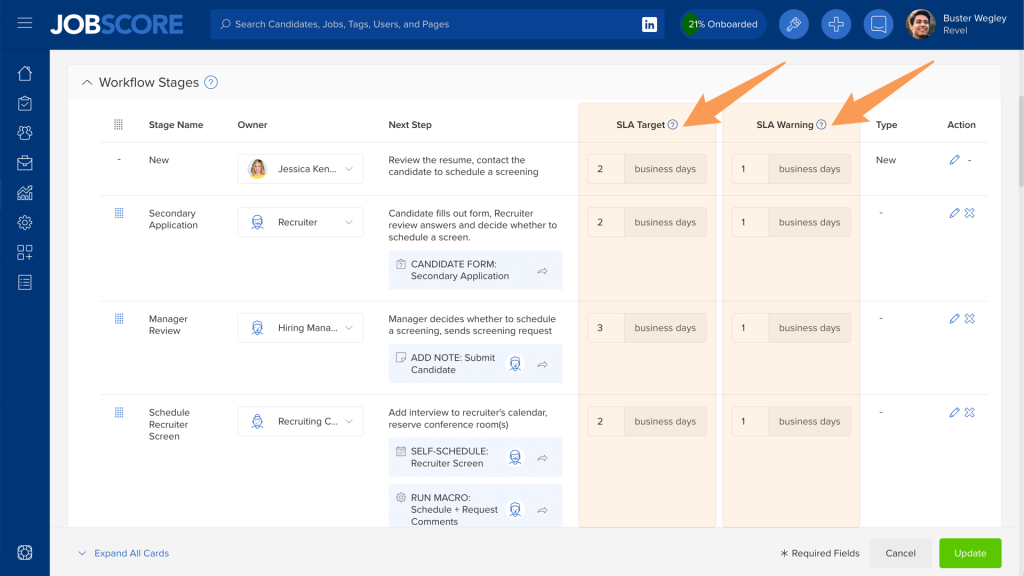
We’ve added two workflow stage attributes to help your team stay on track:
- SLA Target: The maximum amount of time a candidate should spend in a workflow stage. (formerly known as “overdue after” in JobScore)
- SLA Warning: The amount of time before the SLA target to warn the stage owner that they are about to miss a target.
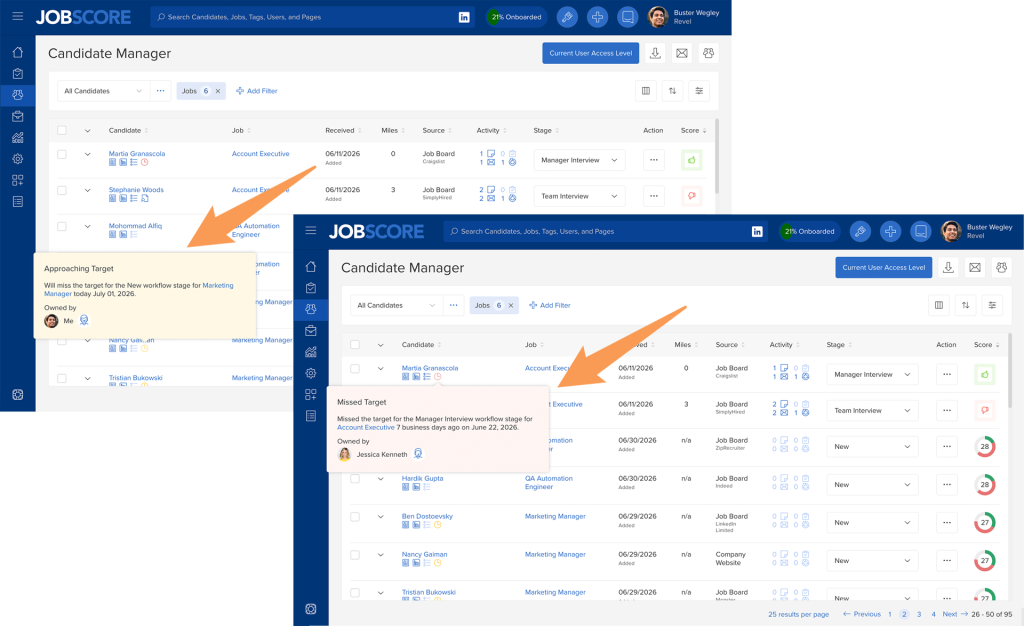
Yellow clock icons are shown when candidates are approaching SLA targets, and red clock icons are shown when SLA targets are missed:
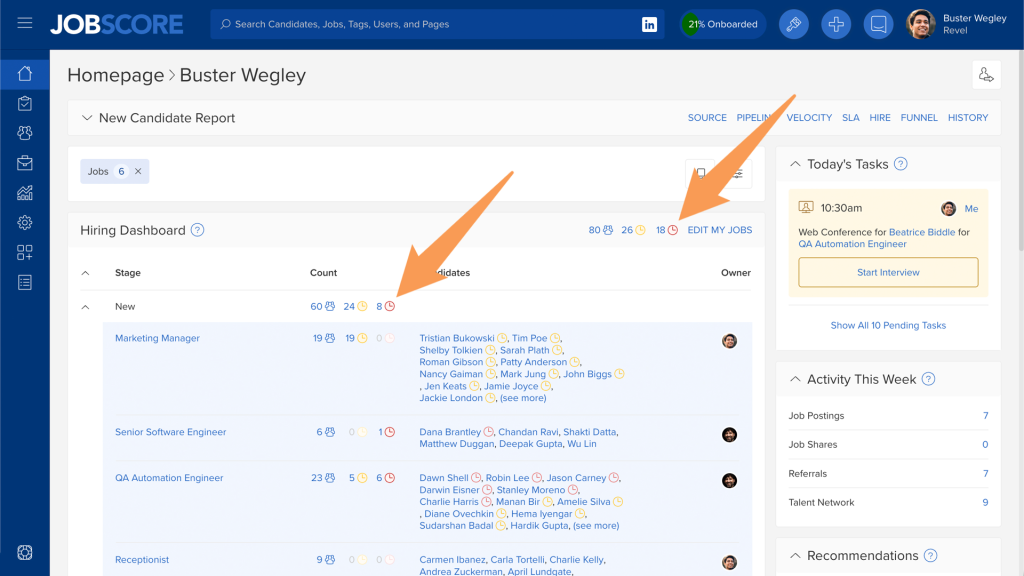
The homepage now shows how many candidates are approaching SLA targets and how many have missed them. Click these links to view and disposition candidates on the candidate manager:
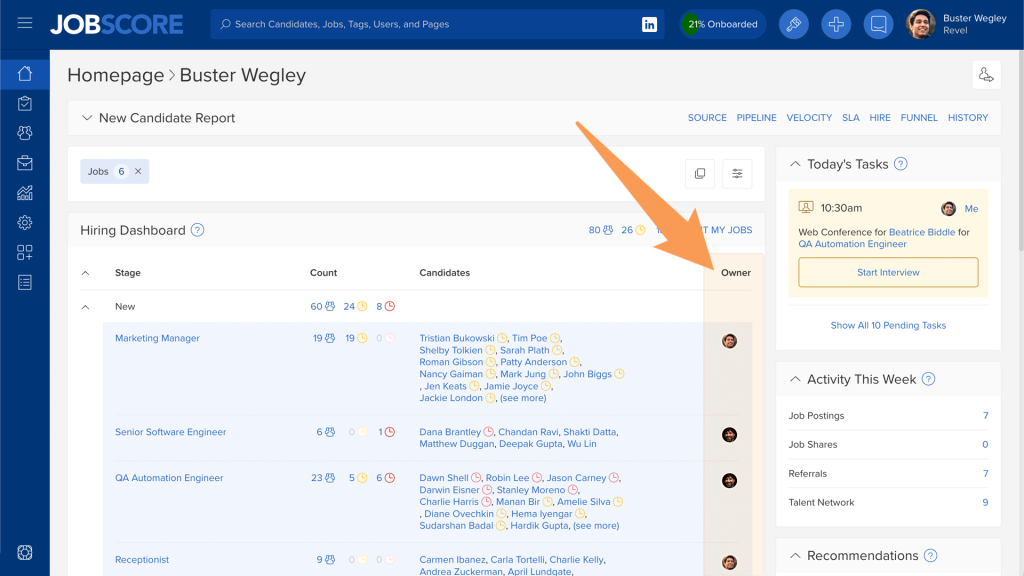
By default, your homepage now shows who owns which candidates… which is determined by the workflow stage owner:
To make this possible, we’ve made the “owner” attribute of workflow stages more flexible. Instead of hard-coding workflow stages to hiring team roles like “recruiter” and “hiring manager,” you can now assign stages to specific individuals in jobs and job templates:
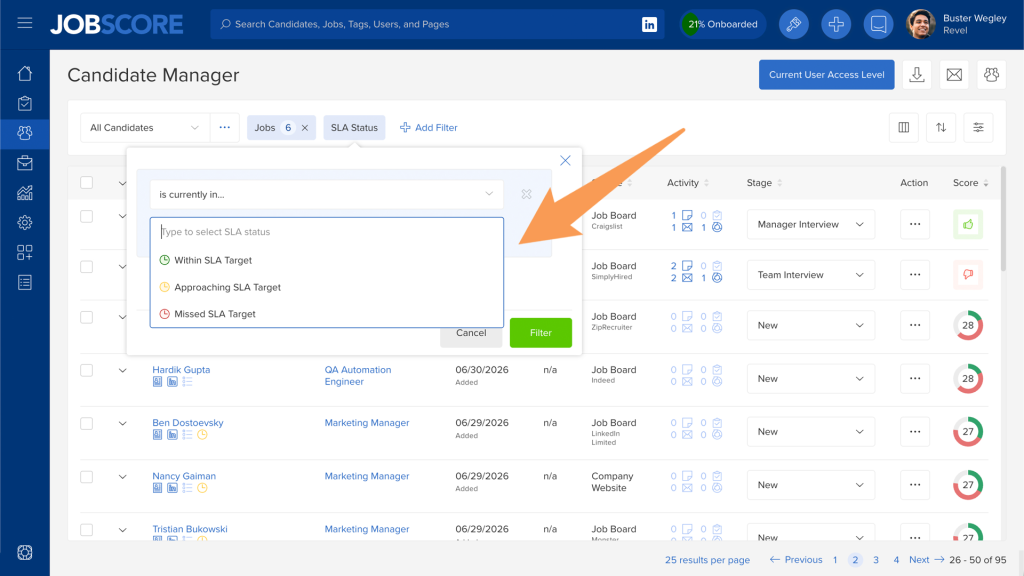
We’ve added a new SLA status filter on the candidate manager to see lists of candidates who are approaching a target or who missed targets:
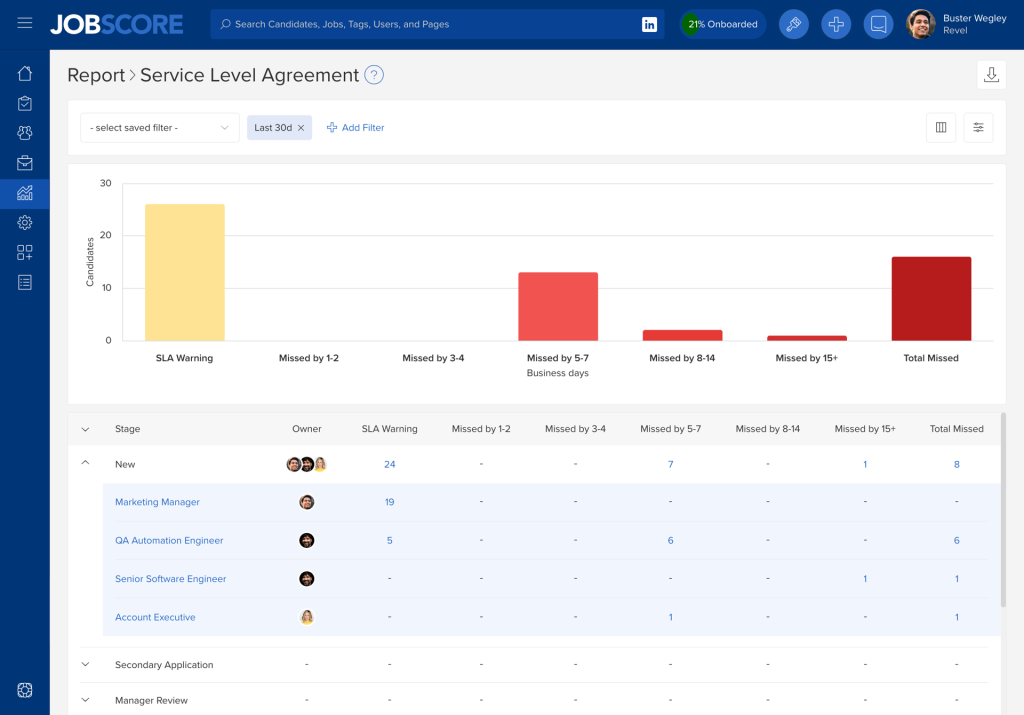
We’ve renamed the overdue report to the service level agreement report. It now shows candidates approaching SLA targets as well as those who missed SLA targets… and by how much:
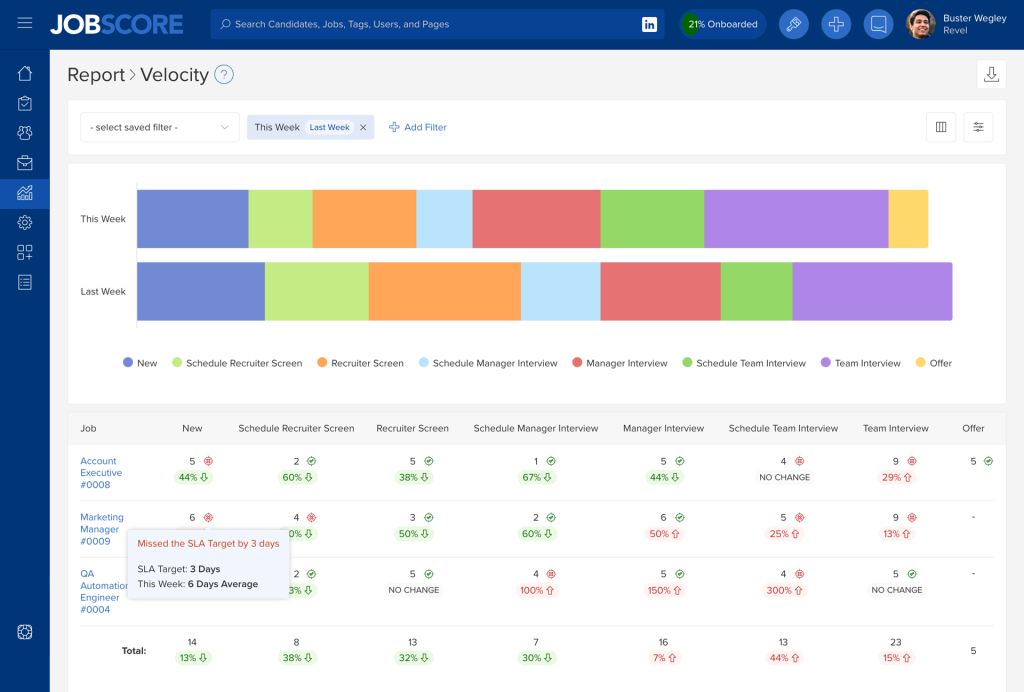
The velocity report now shows if you are meeting SLA Targets:
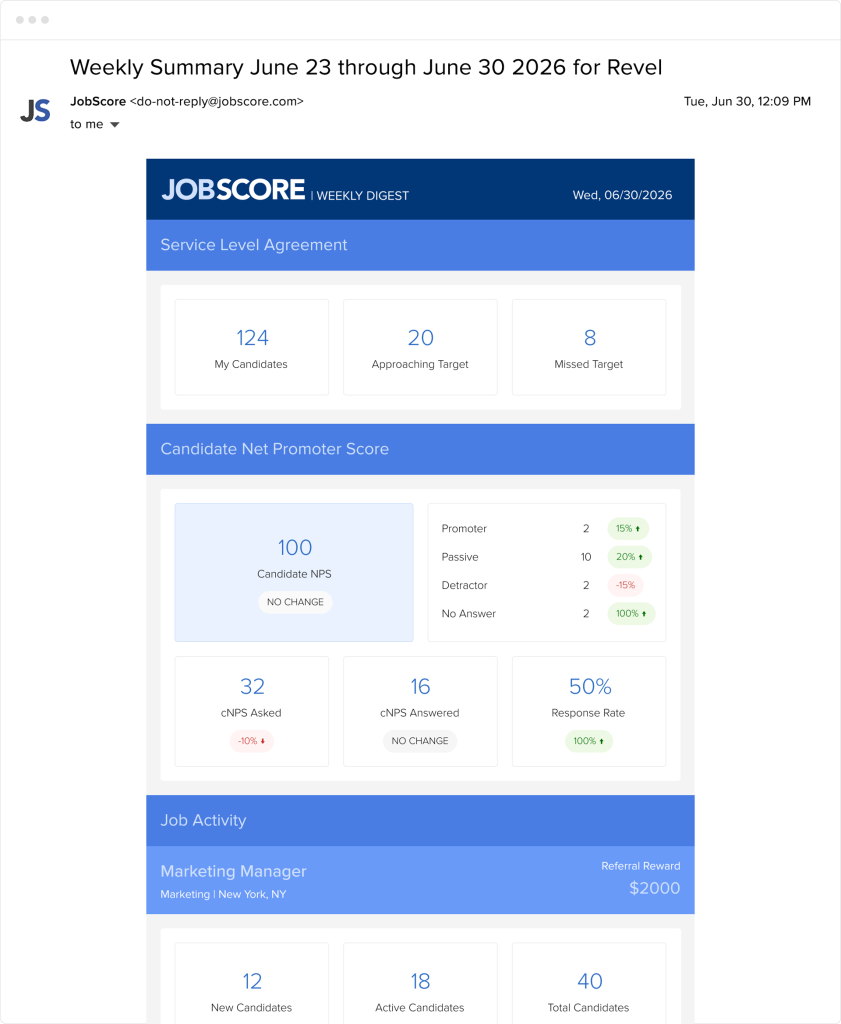
Finally, the weekly digest email shows how many candidates are approaching SLA targets and how many missed SLA targets for the workflow stages you own:
We hope the transparency and accountability of Service Level Agreements help your team be more responsive, impress candidates with decisive speed, and improve your time to hire.